Difference between revisions of "Edit Meetings"
Jump to navigation
Jump to search
| Line 1: | Line 1: | ||
==Edit Meetings== | ==Edit Meetings== | ||
| − | [[File:Mp.png|600px|frameless]] | + | [[File:Mp.png|600px|frameless|right]] |
| + | |||
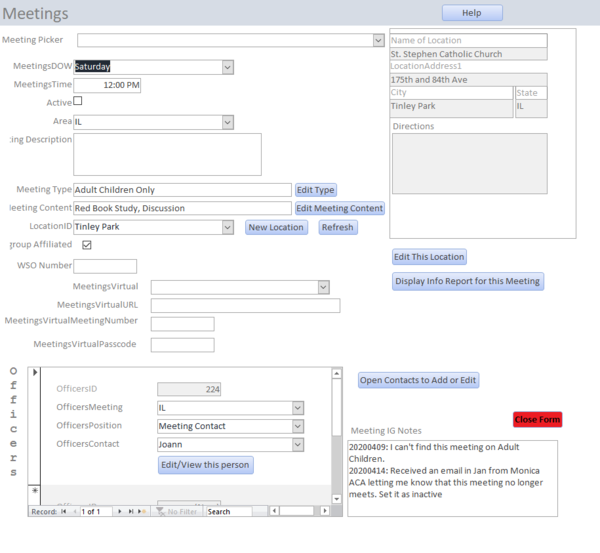
| + | Editing a meeting starts with the drop down at the top of the form. By clicking here you will find an alphabetical list of all meetings in the system. By scrolling down and selecting from this list you will find the meeting you want to view or edit. | ||
[[Main Menu]] | [[Main Menu]] | ||
Revision as of 12:12, 13 May 2020
Edit Meetings

Editing a meeting starts with the drop down at the top of the form. By clicking here you will find an alphabetical list of all meetings in the system. By scrolling down and selecting from this list you will find the meeting you want to view or edit.
